Amazon Account Health: What It Actually Tracks and How to Stay Ahead of It
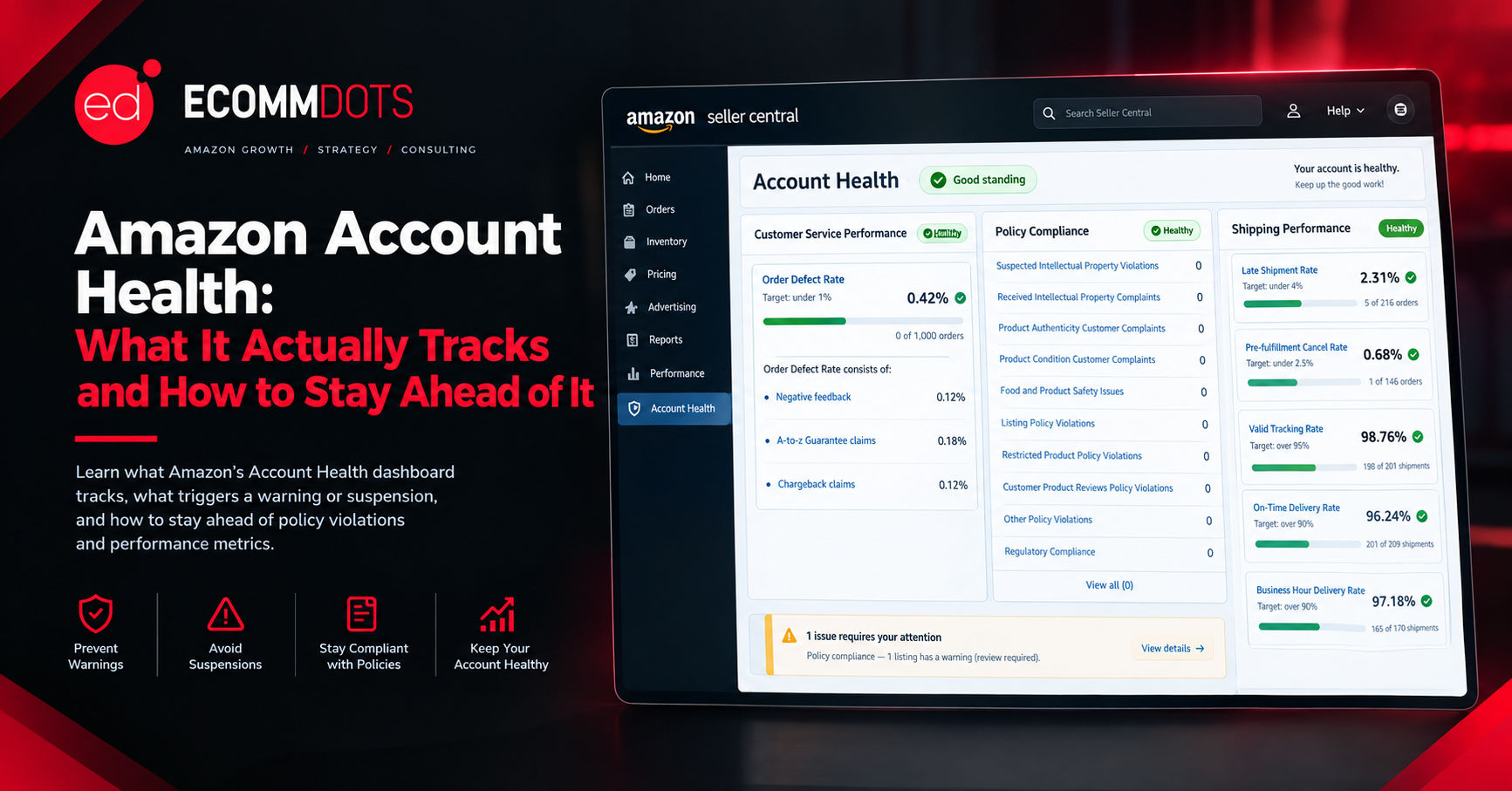
Amazon Account Health: What It Actually Tracks and How to Stay Ahead of It
Amazon account health is the one part of selling on Amazon that most sellers ignore right up until it costs them everything. Good listings and well-run ads mean nothing if Amazon suspends the account they are attached to. Most suspensions are not sudden. They follow weeks or months of warning signs sitting in a dashboard nobody was checking.
What the Account Health Dashboard Actually Shows
Seller Central's Account Health dashboard rolls up every performance and policy signal Amazon tracks into one place, organized into a few categories: customer service performance, policy compliance, and, for sellers using FBA, shipping performance. Each category has its own metrics and its own thresholds, and falling below a threshold in any single one can be enough to trigger a warning, even if everything else on the account looks fine.
The Metrics That Actually Matter
Order Defect Rate combines negative feedback, A-to-z Guarantee claims, and chargebacks into a single percentage, and it is the metric most closely tied to suspension risk. Amazon generally wants this below one percent. Late Shipment Rate and Valid Tracking Rate apply mainly to merchant-fulfilled orders, and both reflect whether a customer actually received what Amazon promised them, on time, with visibility into where it was along the way. Pre-fulfillment Cancel Rate tracks how often a seller cancels an order before it ships, which Amazon treats as a strong negative signal about reliability. Policy violations sit in their own category entirely, covering things like listing restricted products, manipulating reviews, or intellectual property complaints, and a single serious policy violation can outweigh otherwise clean performance metrics.
Why Small Numbers Cause Big Problems
A one percent Order Defect Rate sounds forgiving until you realize it is calculated as a rolling percentage of total orders, so a seller doing modest volume can cross that line with a surprisingly small number of actual complaints. A new or lower-volume account is often more exposed than an established one, simply because each individual defect carries more statistical weight. This is why checking the dashboard only after receiving a warning is already too late. By the time Amazon sends a notification, the underlying metric has usually been drifting in the wrong direction for a while.
What Triggers a Warning or Suspension
Amazon issues performance notifications well before an outright suspension in most cases, flagging a metric that has crossed or is approaching a threshold. Ignoring these notifications, rather than the underlying metric itself, is often what actually leads to suspension, since Amazon reads a lack of response as confirmation that the problem will continue. Listing-level issues, such as a single serious IP complaint or a pattern of complaints across multiple listings, can also trigger action against the account even when the account's overall performance metrics look healthy.
Monitoring Account Health Proactively
1. Check the Account Health dashboard on a fixed schedule, weekly at minimum, rather than only after receiving a notification.
2. Track Order Defect Rate, Late Shipment Rate, and Valid Tracking Rate individually rather than relying on an overall health score alone, since a single metric trending badly can be masked by others that look fine.
3. Respond to every performance notification immediately, even ones that feel minor, since Amazon's own record of your responsiveness factors into how it handles future issues.
4. Investigate the root cause behind any defect rather than just addressing the individual complaint, since a single process problem, a packaging issue or a confusing return policy, often produces multiple defects before anyone notices the pattern.
5. Keep supplier invoices, authenticity documentation, and shipping records organized and accessible, since many policy disputes and IP complaints require producing this kind of evidence quickly.
If You Get a Warning or Suspension
The first step is reading the notification carefully and identifying exactly which policy or metric is cited, rather than assuming you already know why. Amazon generally requires a Plan of Action for a suspension, which needs to identify the root cause, the immediate corrective action already taken, and the preventive steps that will stop it from happening again. A vague or rushed Plan of Action is one of the most common reasons an appeal gets rejected the first time, so treating it as a quick form to fill out rather than a real explanation tends to backfire. If the suspension involves a policy violation you genuinely did not commit, such as a false IP complaint, Amazon's appeal process still requires evidence and a clear explanation rather than a simple denial.
The Bottom Line
Amazon account health is not a topic most sellers search for until something has already gone wrong, which is exactly why it deserves attention before that point. The dashboard exists to give warning ahead of suspension, and the sellers who treat it as a weekly check rather than an afterthought are the ones who rarely end up needing a Plan of Action at all.
Facing a warning, a suspension, or just not sure where your account actually stands? Talk to the Ecommdots team and we will review your account health and help you respond properly.